Example menu: Wrapping lists
It can be useful to break a long column of links into two columns.
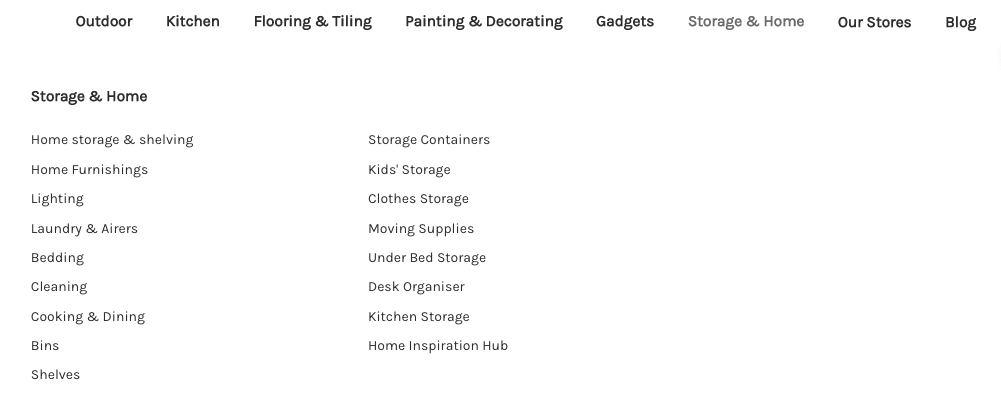
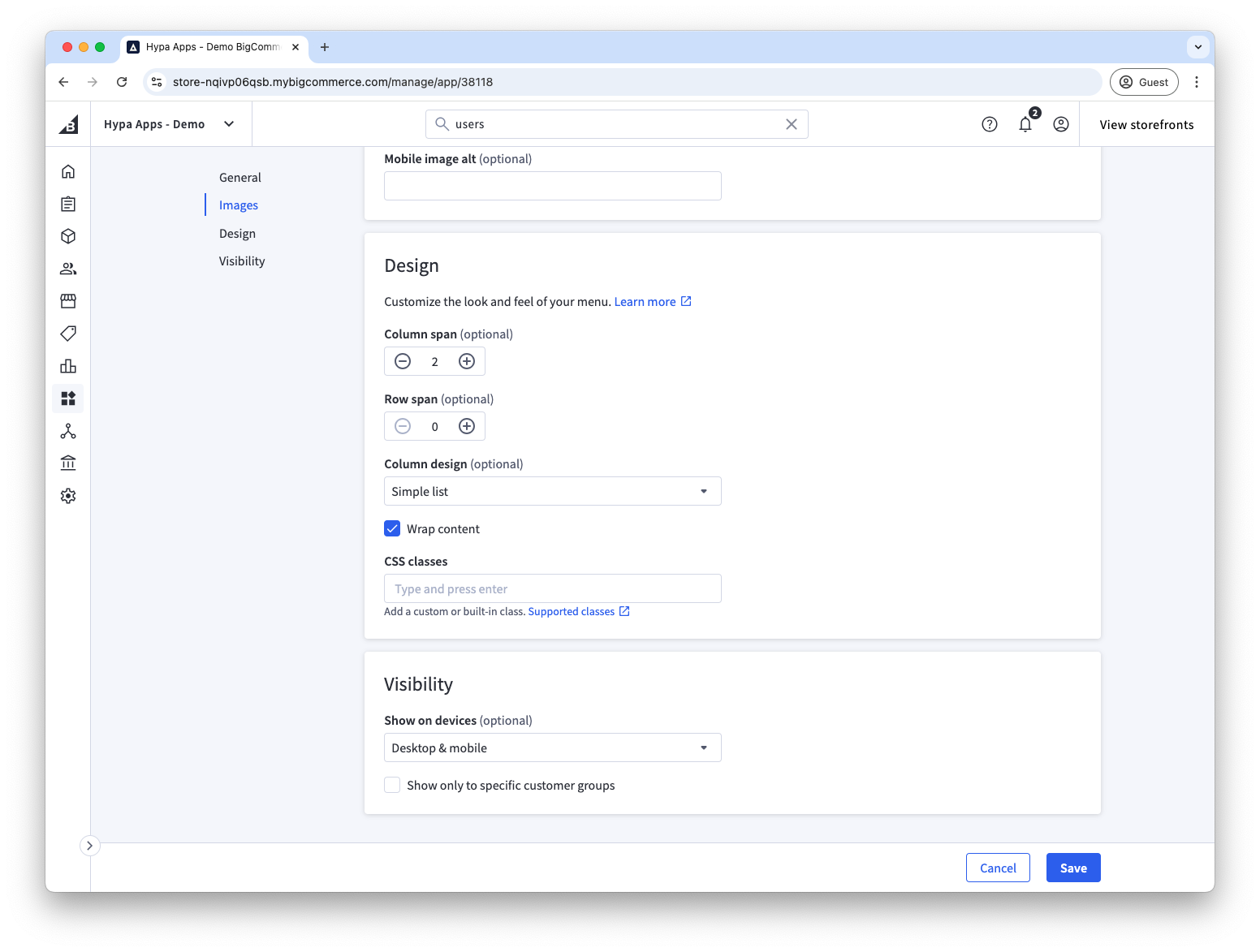
Enable Wrap content on the second-level item—Storage & Home in this example.
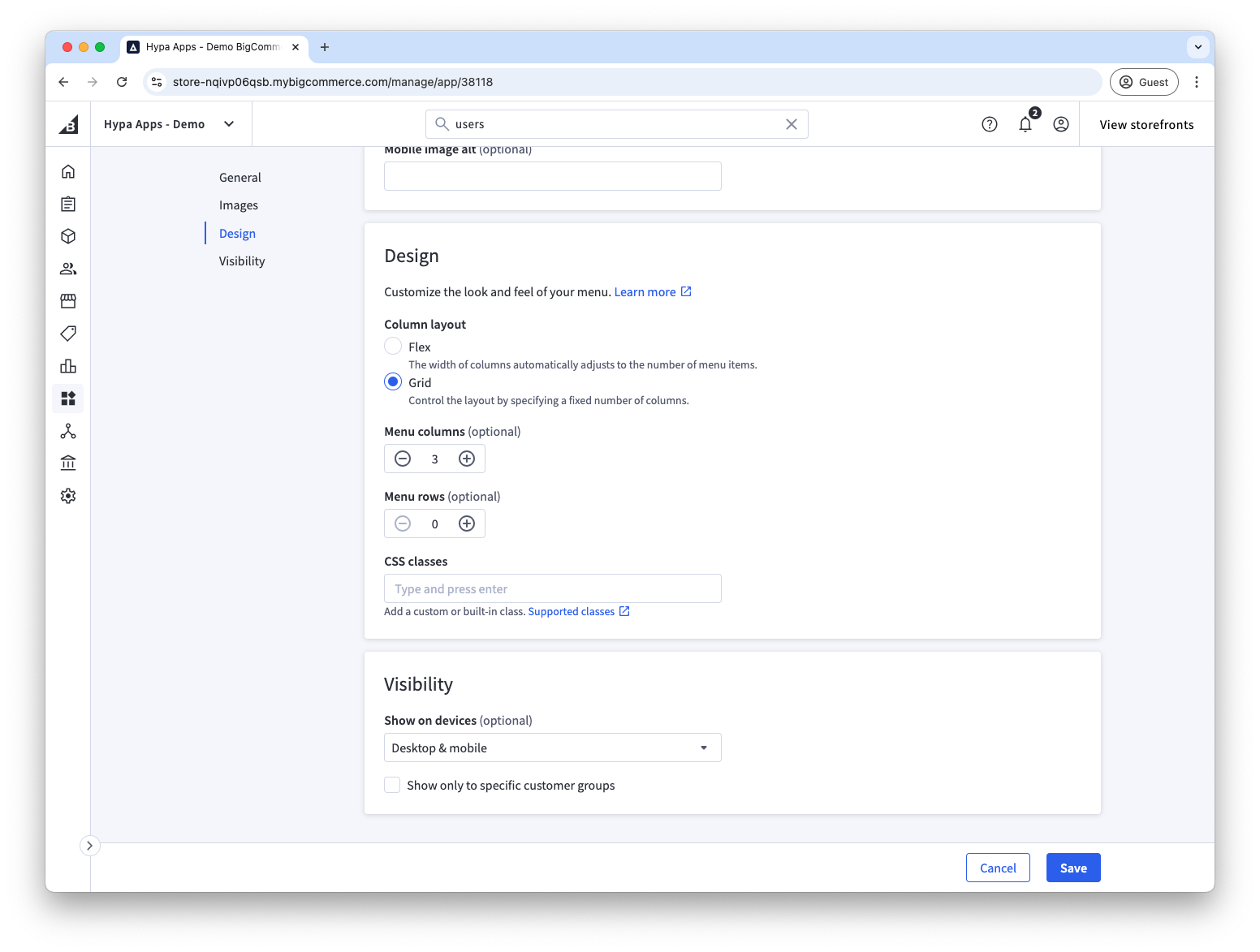
In addition to enabling content wrapping, you need to create space for the menu list to span multiple columns. Here, we have set the top-level "Storage & Home" menu item to be a 3 column grid. Then we have set a span of 2 columns on the second-level menu item to create a column wide enough for the menu items to wrap into two lists.
See our example grids for more information.