Example menu: Stacked lists
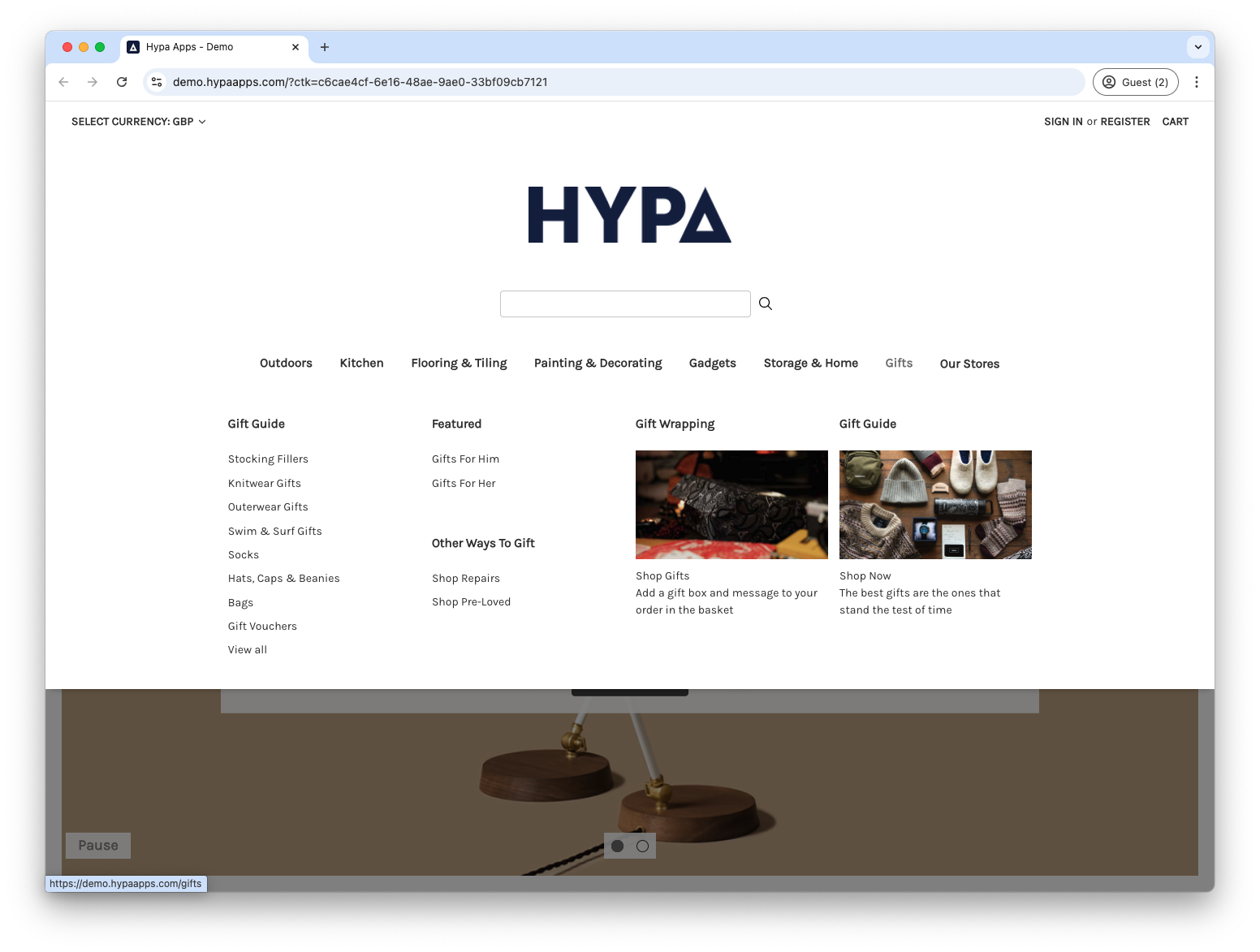
Stack short lists when you want them to share a column. In this example, the Featured and Other Ways to Gift second-level items are stacked in the Gifts menu.
In admin, our menu item structure looks like this:
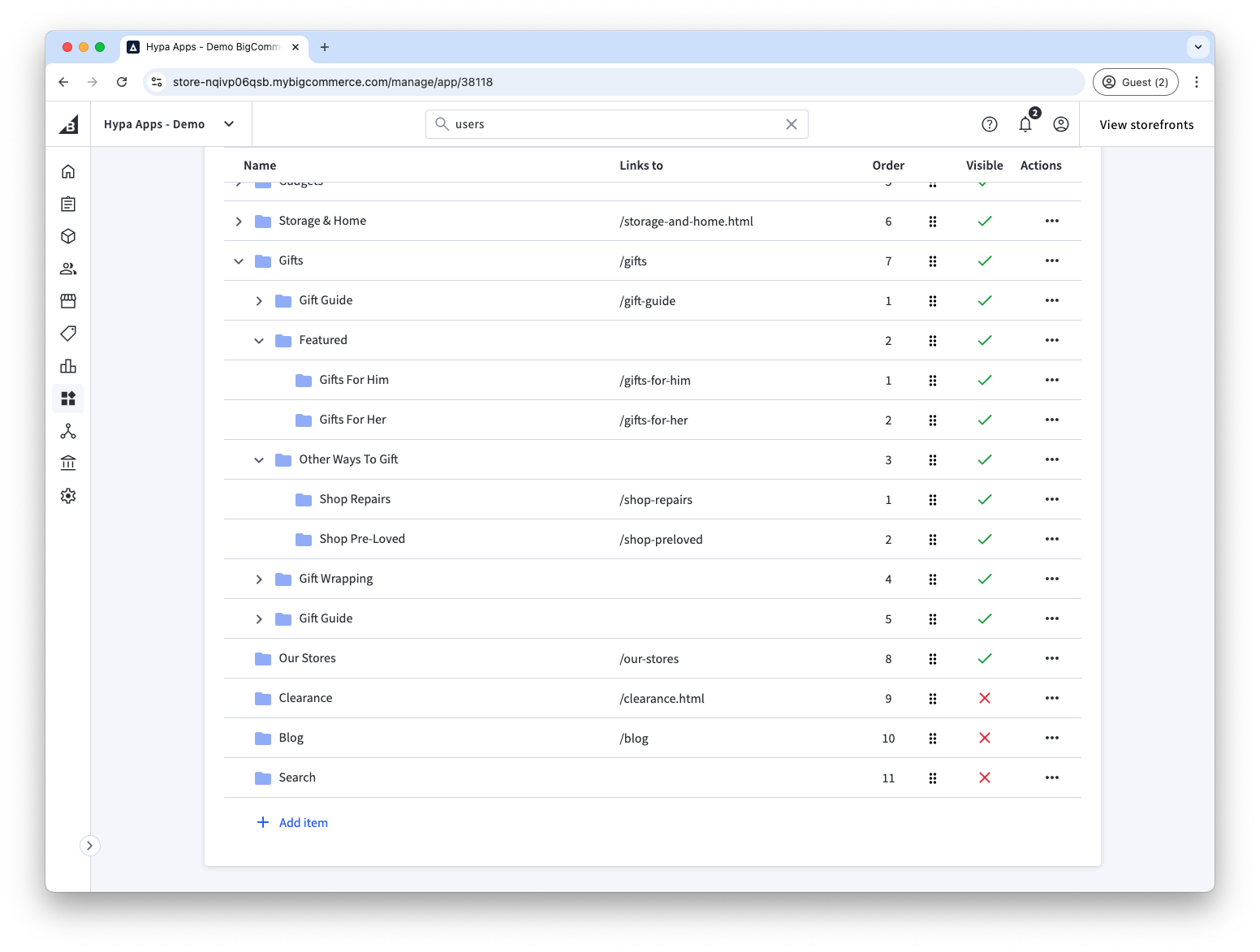
We configure the top-level Gifts menu item to be a grid of 4 columns and 3 rows. You could also choose 2 rows. 3 allows for more items to be stacked.
Then, each of Featured and Other Ways to Gift are configured to span a single row.
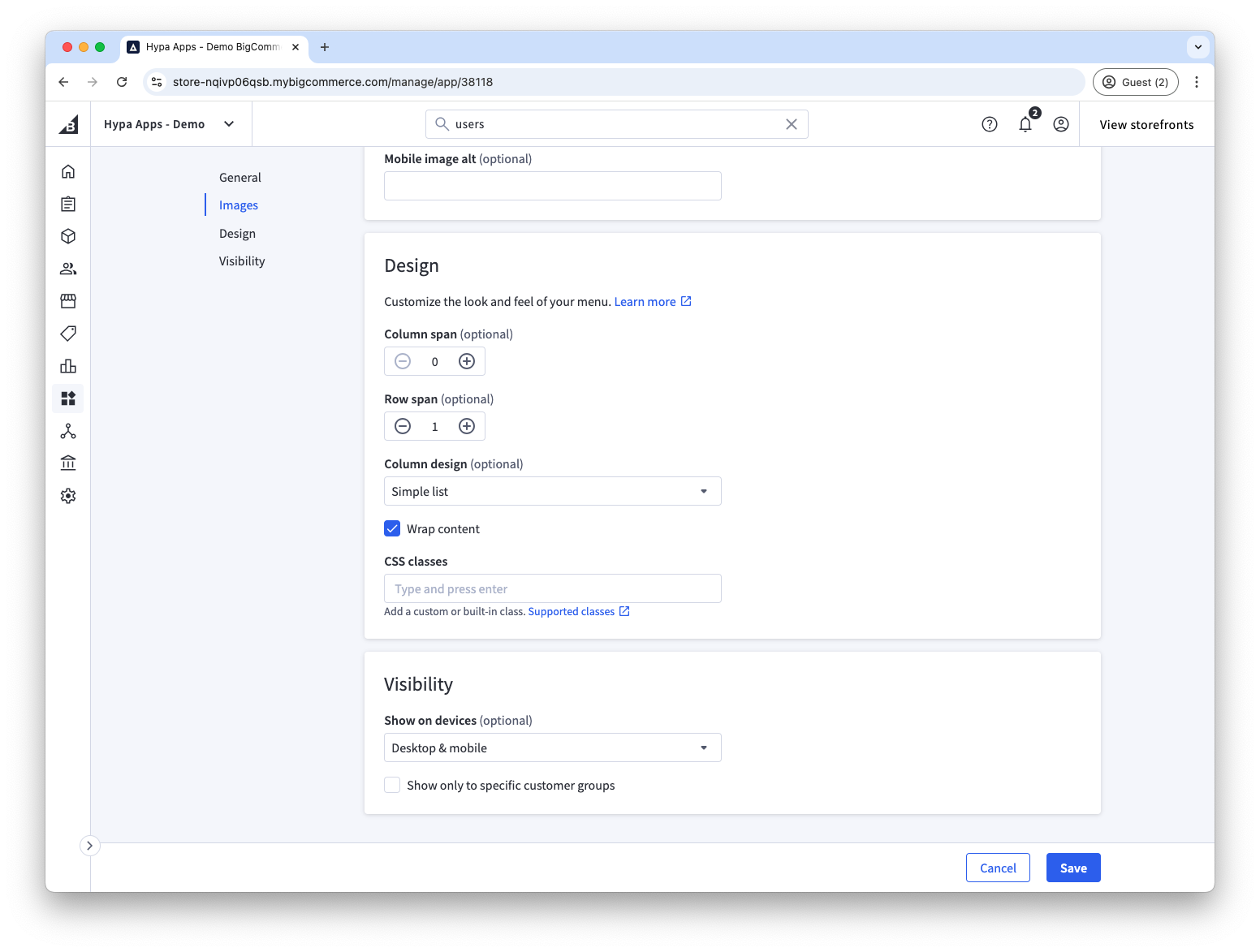
No changes are required to Gift Guide, or Gift Wrapping menu items as they will automatically span all rows.