Add your menu with Page Builder
Add your menu to the storefront with BigCommerce Page Builder, then customise the widget and publish your changes.
Add the widget
- Open your storefront in Page Builder.
- Find the widget named after the menu you created in Mega Menu Builder.
- Drag the widget into a global header region to use it as the main navigation.
- Configure the widget options, then select Publish.
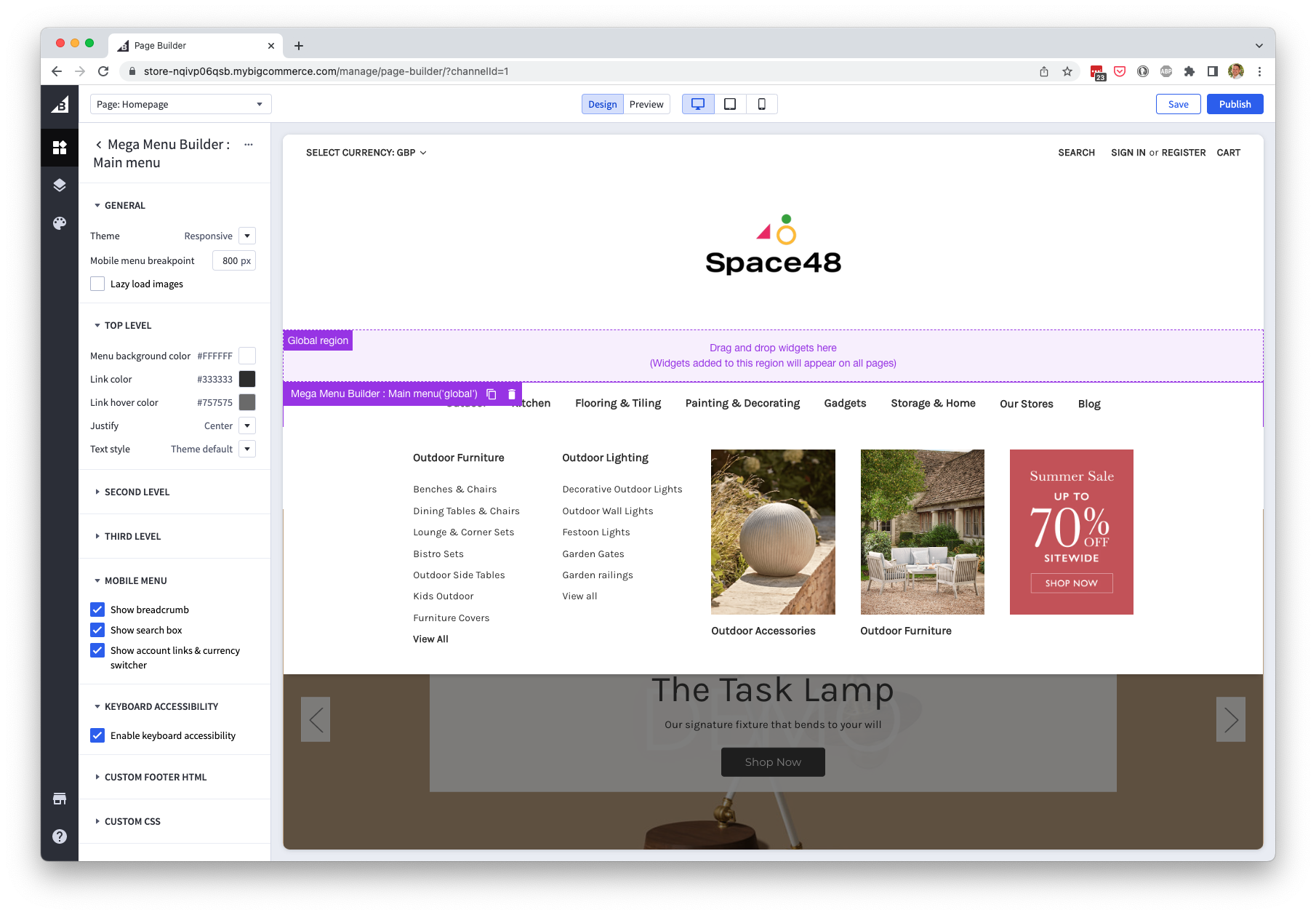
Widget options
Use these options to match the menu to your storefront and control its responsive behaviour.
General
| Setting | Description |
|---|---|
| Theme | Responsive (default) displays the app's menu on desktop and mobile. Desktop or Mobile restricts it to that device type. None outputs the HTML without app CSS or JavaScript. |
| Mobile menu breakpoint | Sets the viewport width at which the mobile hamburger menu changes to the desktop flyout menu. |
| Lazy load images | Uses the lazysizes library included in Cornerstone-based themes. This reduces initial page weight, but images may briefly appear as a flyout opens because their dimensions are not known in advance. |
Top level
Customise the display of the top-level menu items and the top bar.
| Setting | Description |
|---|---|
| Menu background colour | Sets the main menu bar background. |
| Link colour | Sets the menu link colour. |
| Link hover colour | Sets the menu link colour on hover. |
| Justify | Aligns the menu to the left, centre or right. |
| Text style | Sets font size and hover decoration. |
Second level
Customise the display of the second-level menu items and flyout.
| Setting | Description |
|---|---|
| Menu background colour | Sets the flyout menu background. |
| Link colour | Sets second-level link colour. |
| Link hover colour | Sets second-level link colour on hover. |
| Text style | Sets font size and hover decoration. |
Third level
Customise the display of the third-level menu items.
| Setting | Description |
|---|---|
| Menu background colour | Sets the flyout menu background. |
| Link colour | Sets third-level link colour. |
| Link hover colour | Sets third-level link colour on hover. |
| Text style | Sets font size and hover decoration. |
Mobile menu
| Setting | Description |
|---|---|
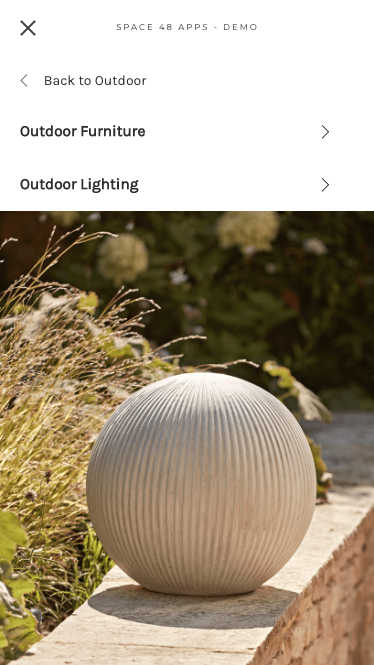
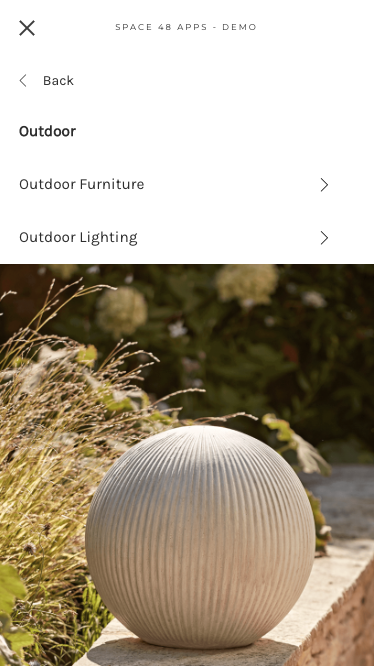
| Show breadcrumb | Shows the parent category while viewing a child menu, allowing customers to select the parent as a destination. |
| Show search box | Controls whether the search box appears in the mobile menu. |
| Show account links and currency switcher | Controls whether account links, the currency switcher and the gift certificates link appear at the bottom of the mobile menu. |
Breadcrumb disabled:
Breadcrumb enabled:
Keyboard accessibility
Enable Keyboard accessibility so customers can navigate the flyout menu without a pointer. We recommend leaving this option enabled.
Custom footer HTML
Use this to add a promotion block to the bottom of your flyout menu. It will be shown for every top level menu item's flyout menu.
Custom CSS
Add CSS that should apply to the menu. You can use it to override styles for menu items that have a custom class.