Configure for WebDAV image uploads
Mega Menu Builder uploads menu item images to your BigCommerce store through WebDAV. You must provide WebDAV credentials before the first upload.
You need a BigCommerce user with WebDAV access.
Add your WebDAV credentials
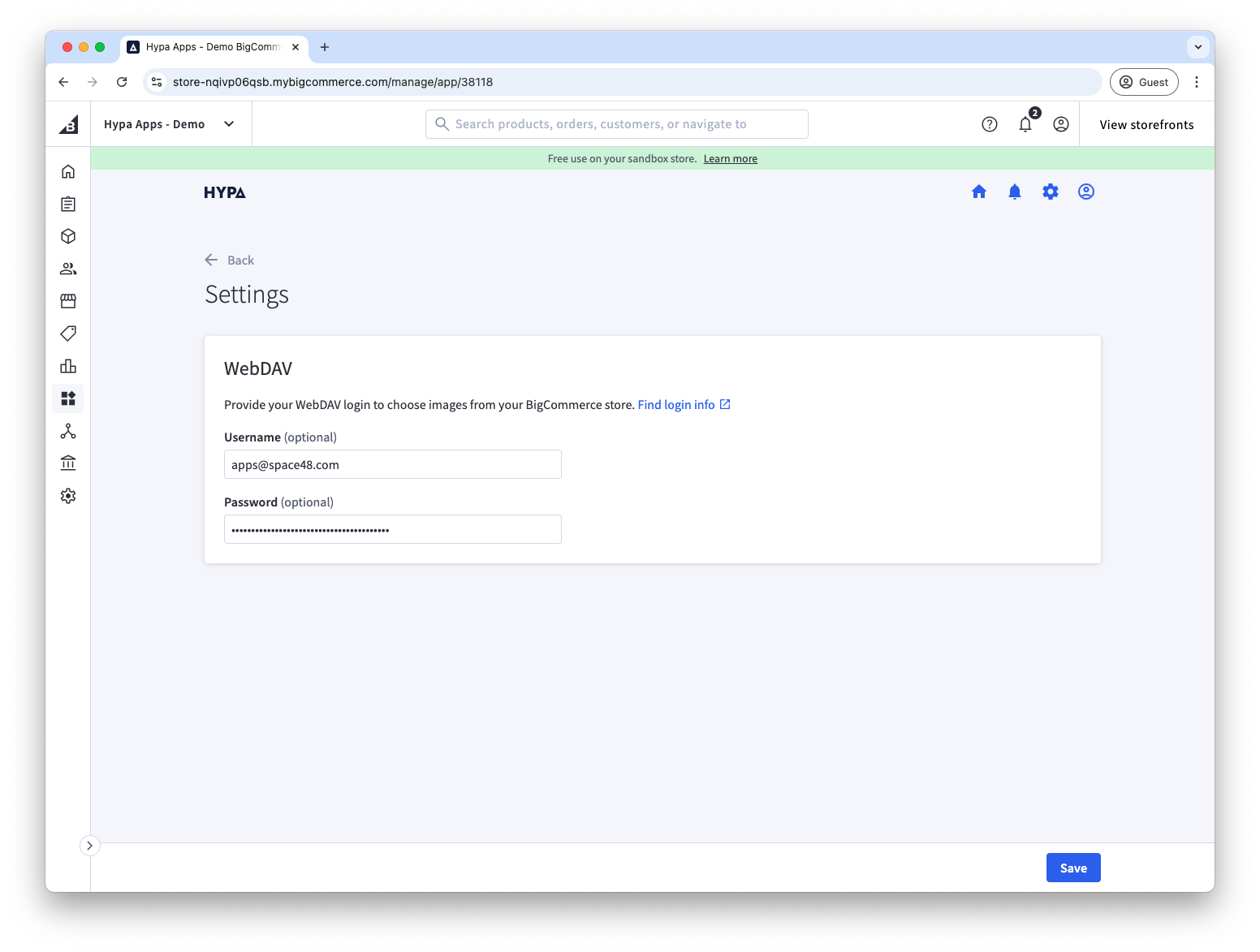
- In Mega Menu Builder, select the cog icon in the top-right corner to open Settings.
- Enter the WebDAV username and password for your BigCommerce store.
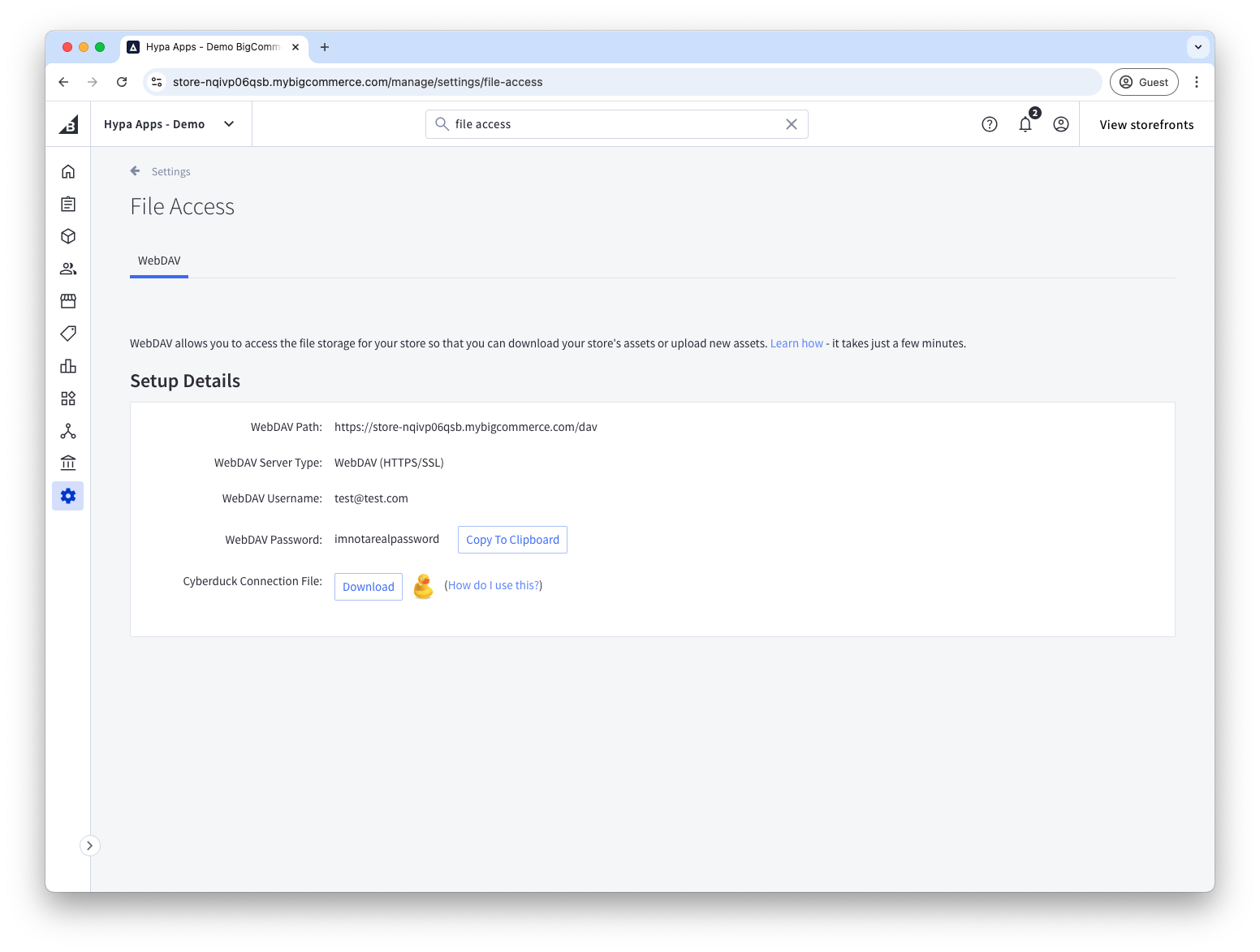
Find these credentials under Server Settings > File Access (WebDAV) in BigCommerce.
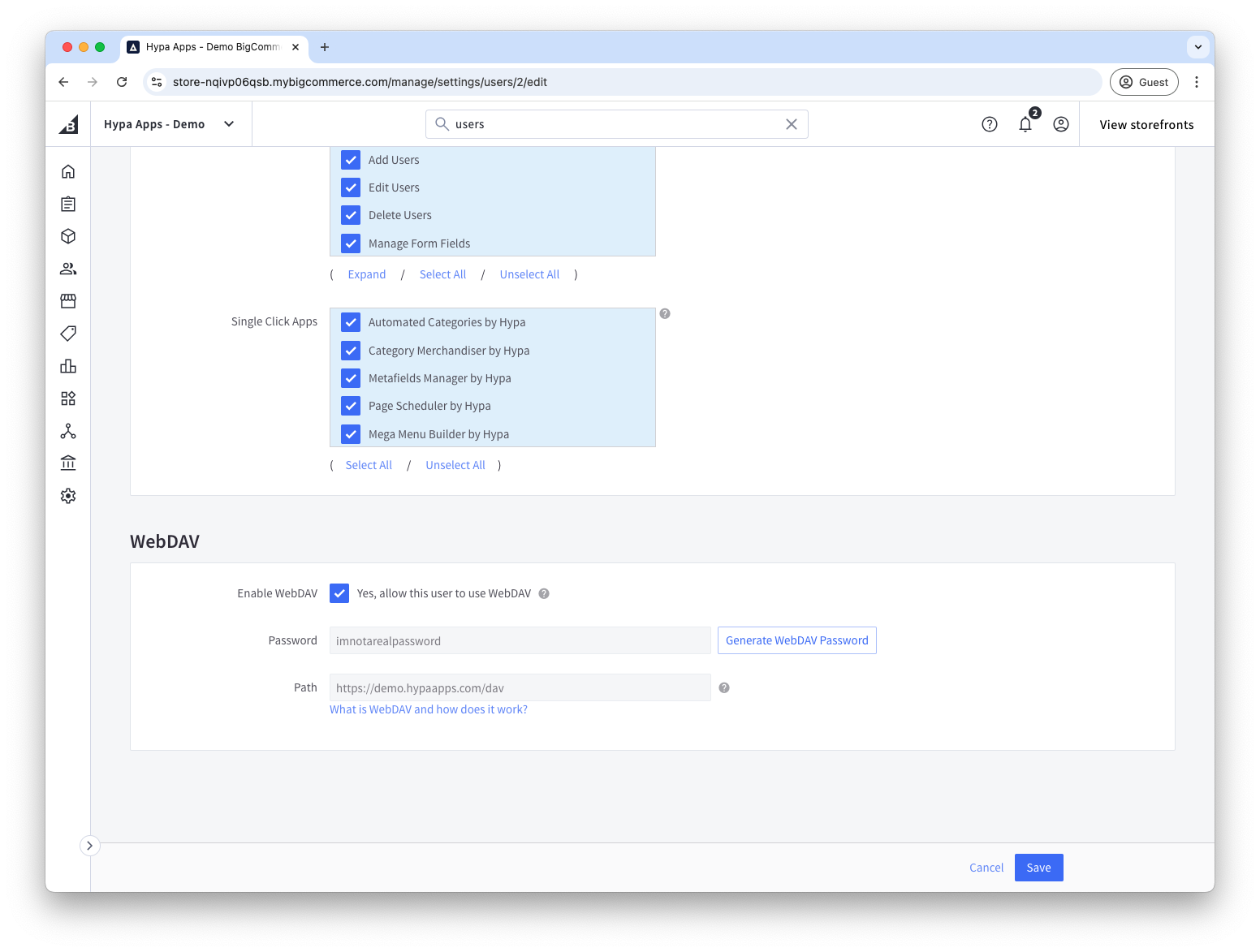
If WebDAV is not enabled for your user, enable it under Account Settings > Users.
After saving the credentials, return to your menu item and upload the image. See BigCommerce's WebDAV documentation for more information.