Using a custom hamburger menu
Our app comes pre-integrated with themes based on Cornerstone. The mobile menu from the mega menu app is shown when an element with the class mobileMenu-toggle is clicked or tapped.
If your theme uses a different trigger, the Mega Menu mobile navigation may not open when the hamburger icon is selected.
Configure custom hamburger selector
If the hamburger icon does not have the mobileMenu-toggle class, add a script that identifies the correct element.
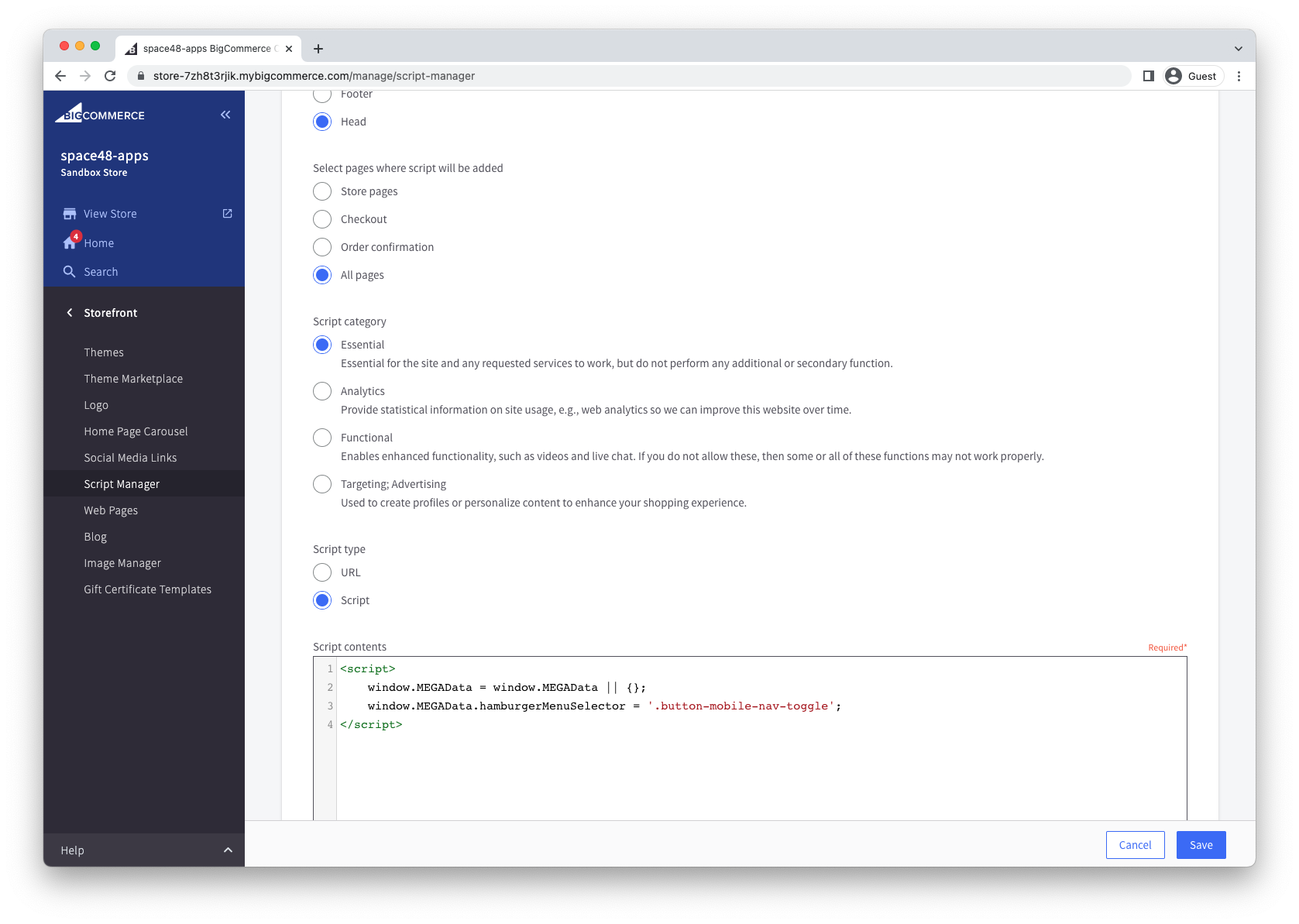
The easiest way to achieve this is to create a new script with Script Manager.
This script should be placed in the Head of All pages and marked as Essential.
<script>
    window.MEGAData = window.MEGAData || {};
    window.MEGAData.hamburgerMenuSelector = '.button-mobile-nav-toggle';
</script>
Programmatically trigger mobile menu
The mobile menu can also be programmatically triggered through JavaScript by accessing the mega menu object instance available on window.MEGA.
this.MEGA.featureMobileMenu.toggleVisibility();